View as a Webpage

InteleTravel

AGENT SUPPORT

You Asked - We Listened!

Introducing the new

InteleHelp Hub

Your new agent support center for ALL departments

Part of the InteleTravel Help Desk


InteleTravel IT has spent the last few weeks rebuilding and adding more power and functionality to your back office Help Desk. Now you can do so much more!


Take a look at this valuable, new feature: Go to your Agent Back office main menu and click Help. Then choose InteleHelp Hub from the dropdown.


In your InteleHelp Hub, you can now open a ticket and get support in all departments, including commissions, travel desk, partner registration, invoicing and more! Plus we added a new feature that allows you to view all open tickets and track the progress of each of your tickets right in your back office - that's right, no more searching your email for your tickets!


***If you have already submitted a ticket, we are in the process of matching it up with your PIN so that the tickets are visible in your back office. This is currently being done so you may not see your ticket yet. Please do not submit a new ticket as we will have your submitted ticket(s) visible in your Hub by August 1, 2023.***

NOW YOU CAN OPEN SUPPORT TICKETS FOR:


Commissions Inquiries – for bookings that have traveled beyond 30-60 days and have not paid out, you will have the ability to send an inquiry to track and receive payouts


Commission Invoice Requests – For those outside bookings that require an invoice from the hotel to be paid, this is a quick and simple tool to request it to be sent.


Travel Desk – For those backoffice bookings where you may have a question, or need to modify/cancel a booking made in InteleTravel booking engine -start here!


Group Bookings – Open a support ticket for questions about your group contract, processes, policies/procedures with your group, or group commission inquiries.


Account billing questions – Now you can ask for help on your InteleTravel Agent account.


Supplier Registrations – Get registered with a new Partner or see status of previous partner registration!


Refund Requests (UK and ROI Agents only) – For those suppliers where we are Merchant of Record (MOR) but you have canceled the booking and are requesting a refund, use this simple form to start the process!


Customer Service – Have general queries for customer service? In addition to calling or using live chat for more immediate assistance, you can open a ticket with us to get your questions answered!


With full visibility, better communication, and better service, your new InteleHelp Hub will service you faster than ever! Just a few clicks will open your tickets and send them to the correct department to assist you!


HOW TO USE THE INTELEHELP HUB

STEP 1: Go to Help > InteleHelp Hub from the main menu of your Agent Back Office

Help_menu3 image

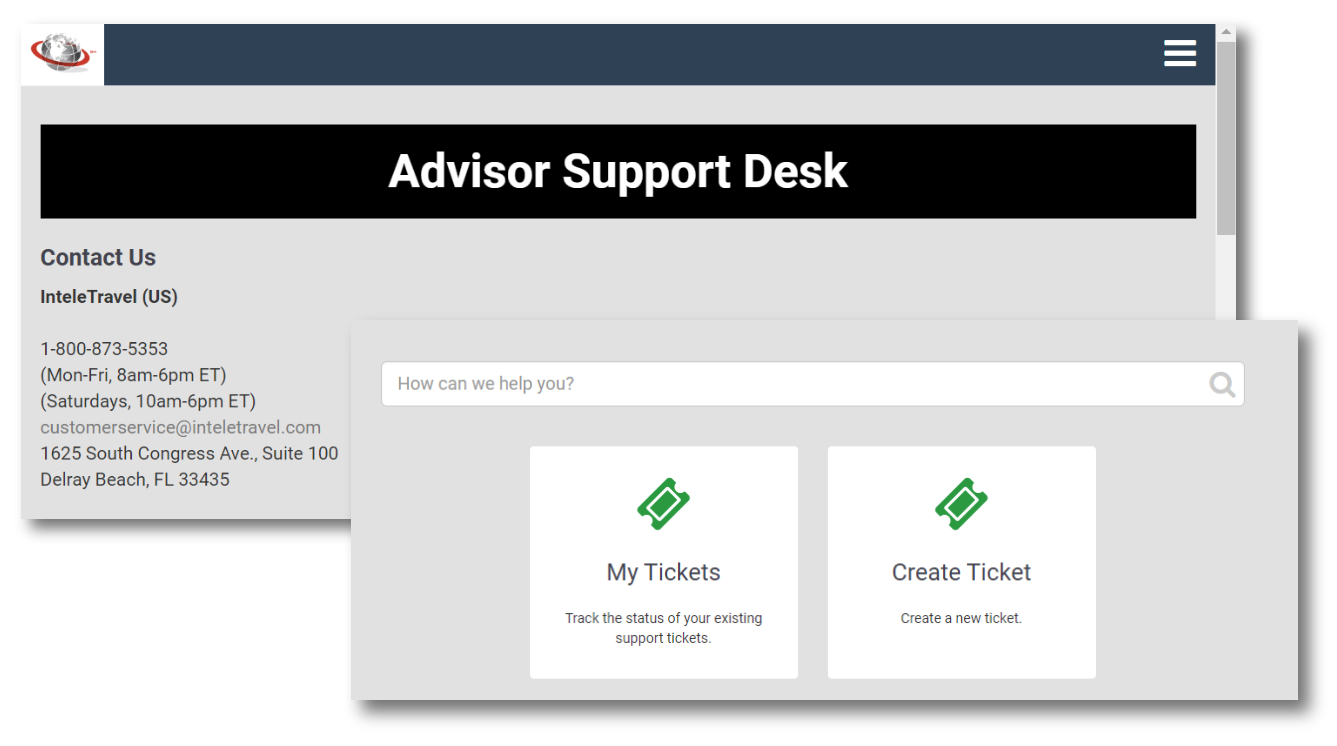
STEP 2: You will reach the Advisor Support Desk screen. Scroll down to select Create Ticket or view your existing tickets under My Tickets

ASDTix image

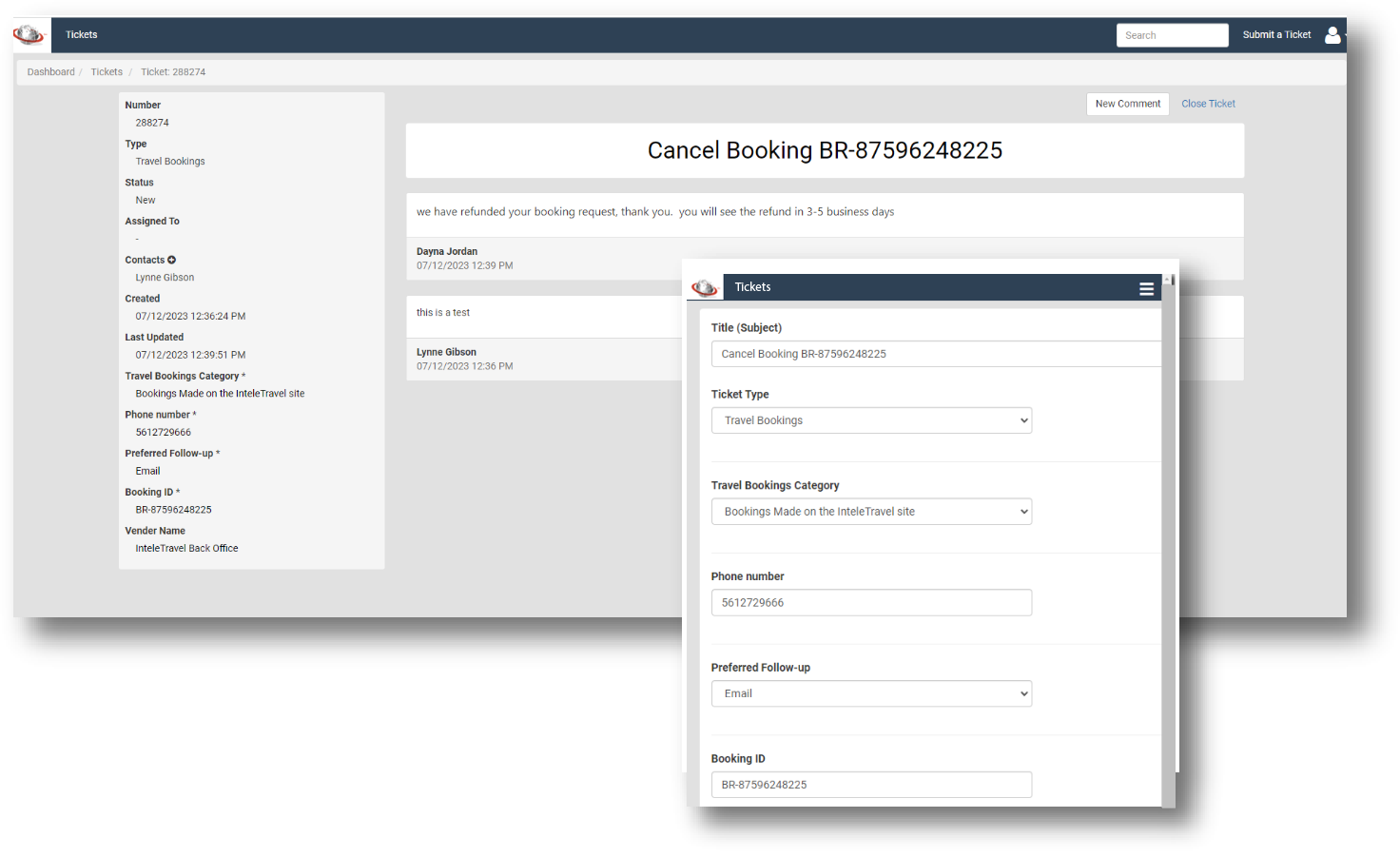
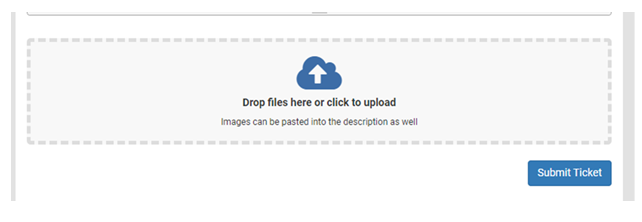
STEP 3: To create a new ticket, simply fill out all the booking information and upload any needed documents for the ticket to be created.  You can Create Tickets using an easy dropdown menu to choose your department/action needed and fill in required information.

fields2 image
upload image

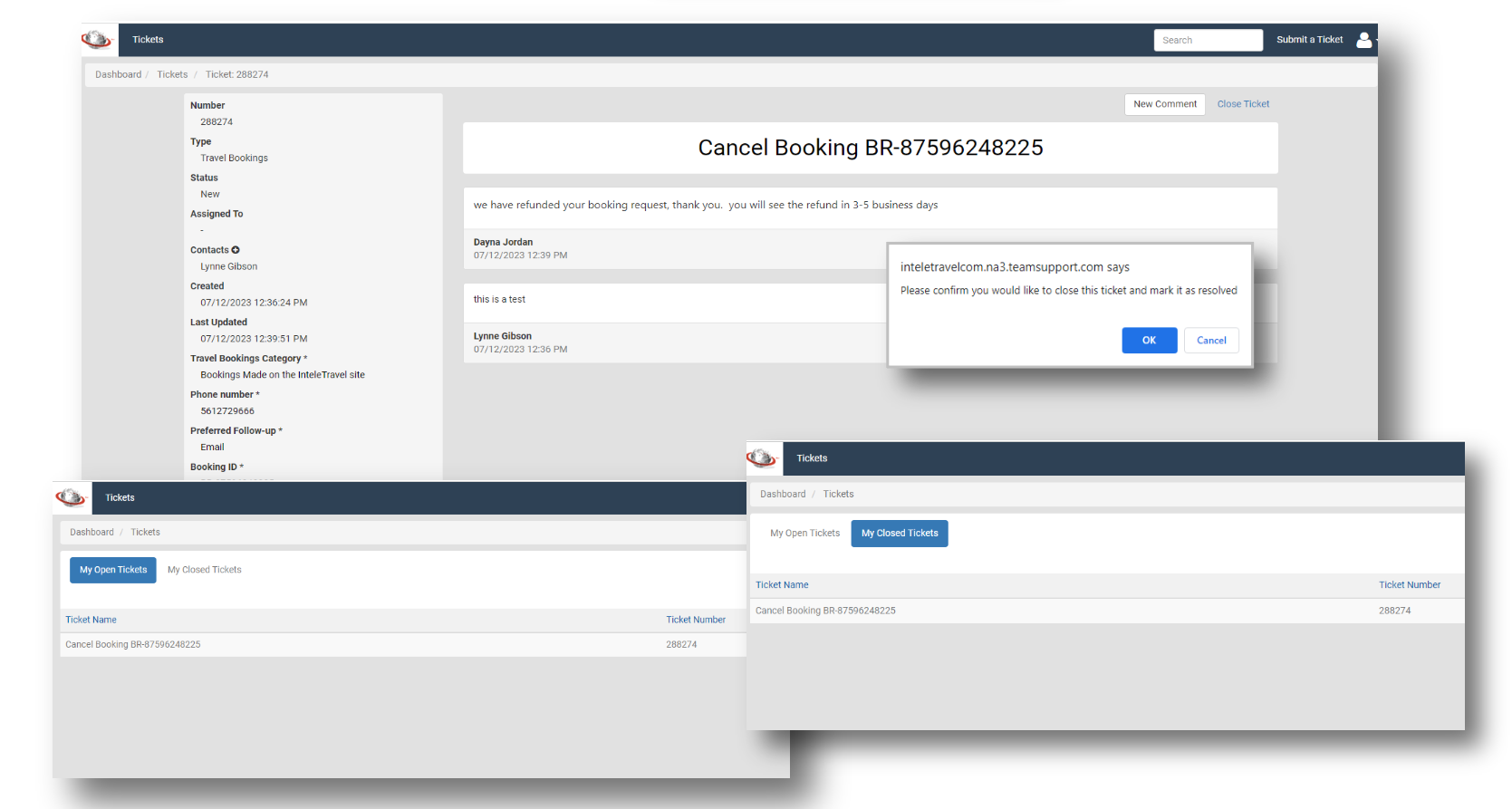
STEP 4: Once tickets are created, view your open tickets under My Tickets. You will be able to view all information regarding the ticket and also see when it is updated by InteleTravel Team.


You also have the ability to close out the ticket and mark as resolved. It will then appear in My Closed Tickets.

opentix3 image

MORE SUPPORT. BETTER COMMUNICATION. FASTER SERVICE.

Facebook  Twitter  YouTube  Instagram

1-800-873-5353